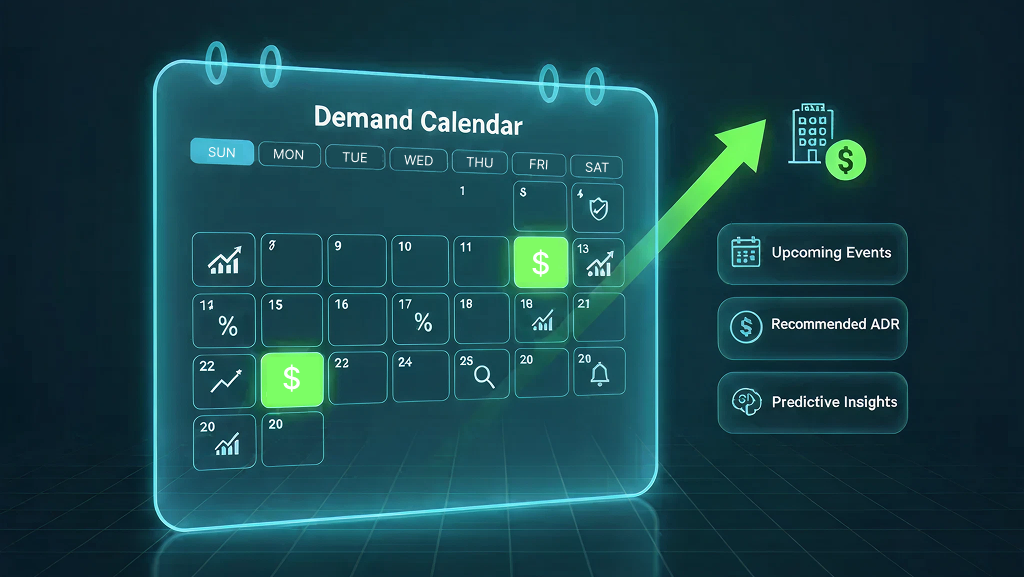
In the ever-evolving world of hotel revenue management, understanding how pricing responds to occupancy and demand patterns is crucial. The Pricing Ladder widget provides a data-driven visualization that bridges this gap, revealing how rates shift across occupancy levels, lead times, and booking windows.
This intelligent widget transforms complex booking data into actionable insights, empowering revenue managers to make informed rate decisions, identify pricing pressure points, and align strategy with market dynamics.
Widget Overview
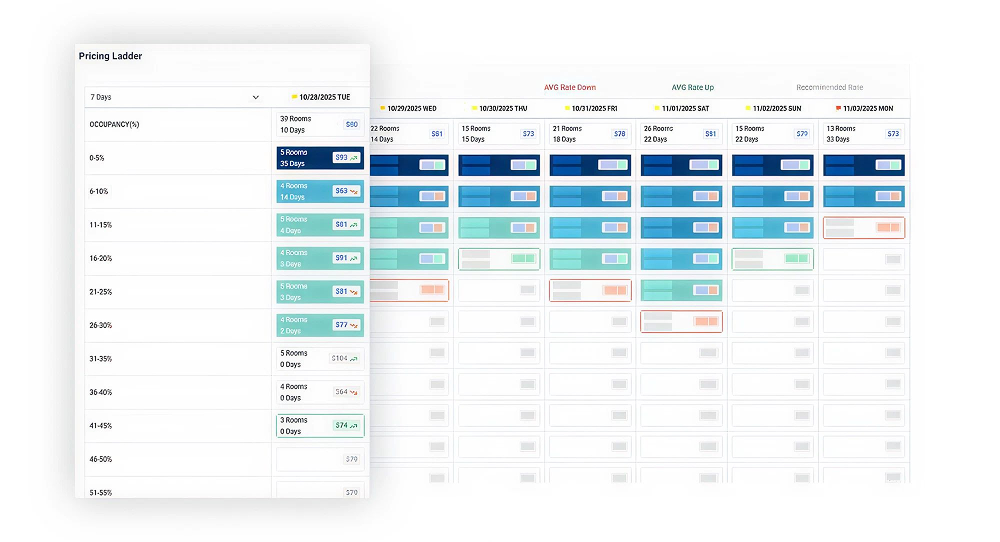
The Pricing Ladder offers a detailed view of occupancy-based pricing trends across multiple stay dates. Each column represents a future stay date and displays metrics such as:
- Booked rooms
- Booking window
- Average rate
- Lead time
At a glance, users can identify how rates evolve with demand, helping visualize rate adjustments based on fill level.
Configuration and Navigation
The widget is designed for flexibility and easy interpretation:
- Date Range Dropdown:
- Occupancy Range Segmentation (0–125%):
- Interactive Pop-ups:
Key Insights and Signals
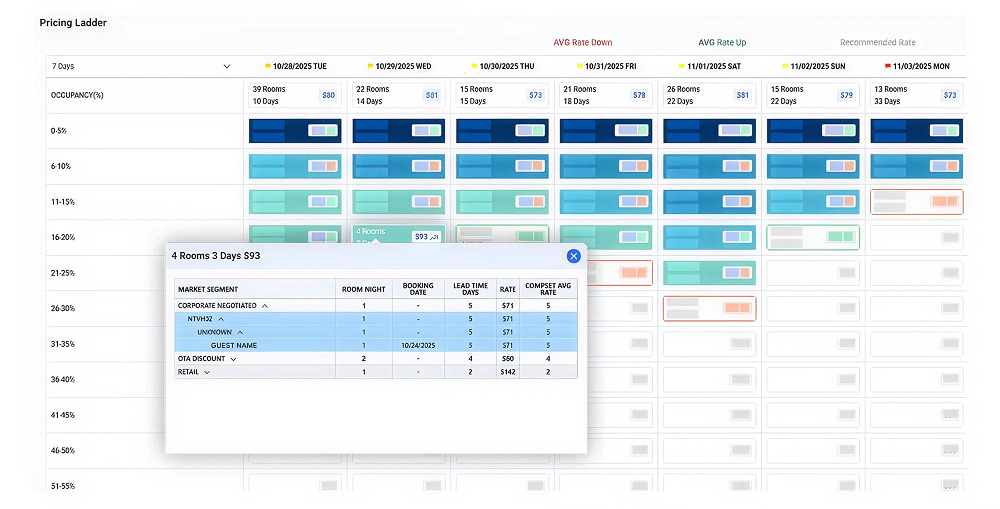
The Pricing Ladder widget goes beyond static data; it visually signals pricing momentum and market dynamics:
- Rate Movement Signals
- Recommended Rate
- Occupancy-Rate Behavior Patterns
Deep Dive Through Interactive Panels
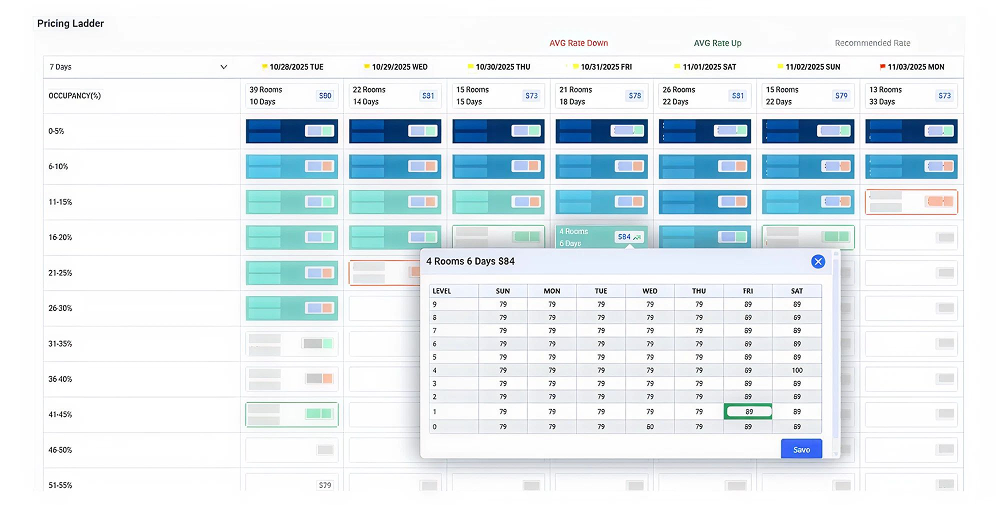
Each highlighted data cell is interactive. Upon selection, a detail panel reveals:
- Market segment details
- Rate code and company performance
- Booking lead time
- Competitor rate comparisons
This layered insight helps understand why certain pricing behaviors occurred, not just what happened.
How are we setting the recommendation rate?
To generate recommendation rates in the Pricing Ladder, the logic is configured under Edit Button → Season. This setup defines the rate framework for a selected date range and automatically calculates level-based pricing.
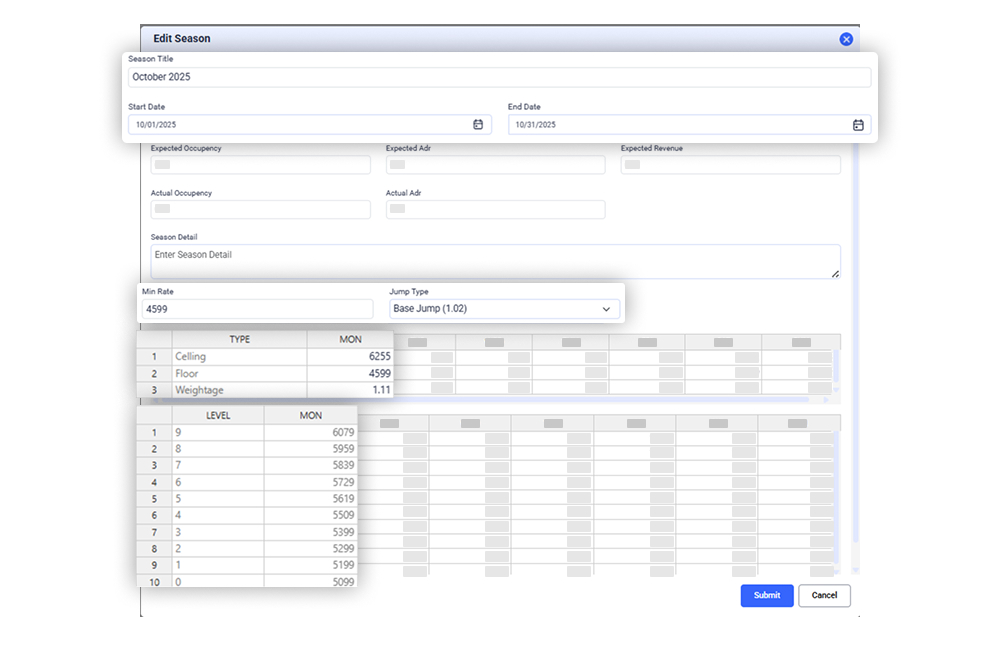
What Happens After Configuration
Once values are entered, the system:
- Uses Min Rate as the base price
- Applies chosen Jump Factor to scale rates across occupancy levels
- Ensures rates stay between Floor & Ceiling
- Adjusts rates using weekday weightage
- Automatically generates Level-0 to Level-9 recommendation rates
Output in Pricing Ladder
These calculated levels appear as recommended rate values in the Pricing Ladder grid, guiding pricing decisions as occupancy increases.
Key Results:
- Consistent rate movement
- Automated rate escalation by occupancy
- No need to manually calculate level pricing
- Controlled rate floor and ceiling
- Weekday demand behavior considered
Strategic Value for Revenue Managers
The Pricing Ladder is not merely a reporting tool. It’s a strategic decision aid. It enables:
- Micro-analysis of rate dynamics by occupancy slab and stay date.
- Early detection of pricing pressure, ensuring timely adjustments.
- Benchmarking against competitors, optimizing positioning.
- Alignment with demand curves, maximizing yield opportunities.
Ultimately, it empowers hoteliers to move from reactive rate management to proactive pricing strategy.